svd
Table of Contents
- Academic Project Overview
- Features
- Tech Stack
- Screenshots
- Quick Start
- Installation
- Deployment
- Usage
- Architecture
- Mathematical Foundation
- Educational Content
- Limitations
- Contributing
- Academic License and Usage
- Academic Acknowledgments
- Support
- Performance Optimizations
Academic Project Overview
This project represents the culmination of learning in MATH 3120: Numerical Linear Algebra at the University of Pennsylvania. As a final project for the course, it demonstrates the practical application of Singular Value Decomposition (SVD) concepts taught throughout the semester, specifically applied to the domain of image compression.
Course Context
MATH 3120: Numerical Linear Algebra covers fundamental concepts in computational linear algebra, including:
- Matrix decompositions (SVD, QR, LU)
- Eigenvalue and eigenvector computations
- Numerical stability and error analysis
- Applications to data science and engineering
This final project synthesizes these concepts into a comprehensive web application that demonstrates the power of SVD in image compression, making abstract mathematical concepts tangible through interactive visualization.
Academic Objectives
The project serves multiple educational purposes:
- Practical Application: Implementing SVD algorithms learned in class
- Real-world Relevance: Demonstrating how linear algebra applies to image processing
- Technical Skills: Combining mathematical theory with modern software development
- Educational Value: Creating an interactive tool for understanding SVD concepts
Project Scope
This academic project goes beyond traditional coursework by:
- Building a client-side web application with browser-based mathematical computing
- Implementing real-time SVD processing with performance monitoring
- Creating educational content that explains the mathematical foundation
- Providing interactive visualizations for better concept understanding
- Demonstrating professional software development practices
Features
Core Compression Capabilities
- Real-time SVD Processing: Live decomposition with visual progress tracking
- Interactive Parameter Control: Adjustable rank and color mix, plus algorithm selection
- Multi-channel Processing: Separate RGB channel processing for optimal compression
- Performance Monitoring: Real-time metrics including processing time and compression ratios
- Quality Assessment: Built-in quality scoring and visual comparison tools
Advanced Web Interface
- Interactive Upload: Drag-and-drop file upload with instant preview
- Real-time Processing: Progress bar and live status updates
- Parameter Controls: Intuitive controls for rank and color mix, plus algorithm selection
- Visual Feedback: Dynamic progress indicators and performance metrics
- Responsive Design: Mobile-friendly interface built with React and Tailwind CSS
Educational Components
- Mathematical Foundation: Comprehensive SVD theory and implementation guides
- Interactive Visualizations: Step-by-step decomposition process demonstrations
- Compression Comparison: Side-by-side original vs compressed image analysis
- Performance Analytics: Detailed metrics and optimization insights
- Educational Content: In-depth explanations of linear algebra concepts
Error Handling & Performance
- Graceful Error Recovery: Comprehensive error boundaries and user feedback
- Performance Monitoring: Real-time processing metrics and optimization
- Memory Management: Efficient handling of large image files
- Cross-browser Compatibility: Optimized for modern web browsers
Tech Stack
Screenshots
For detailed information about each screenshot, see screenshots/README.md
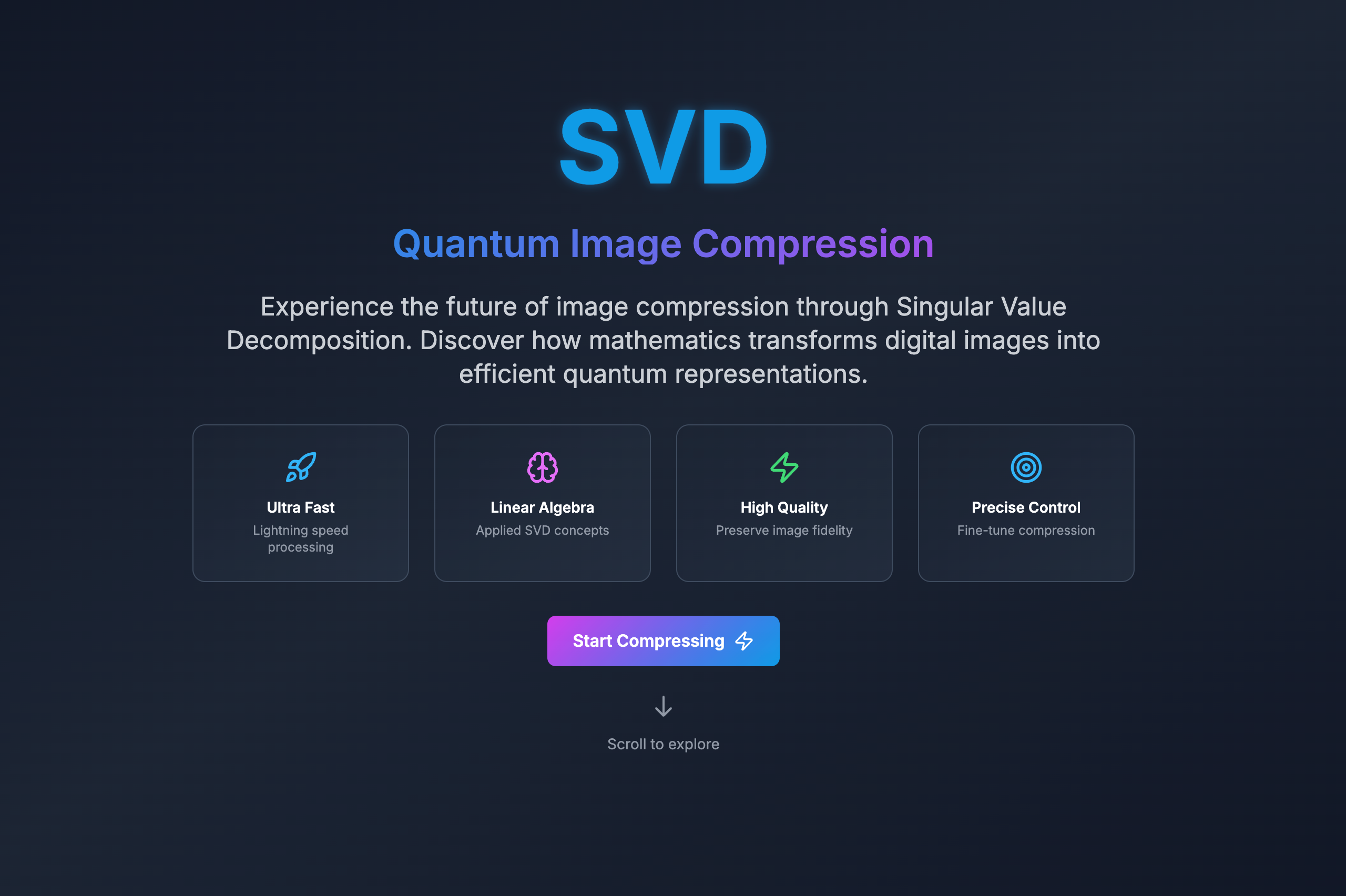
Main Interface
The main application interface showcasing the interactive SVD image compression tool with the welcome section, image upload area, and primary navigation. Features the professional sci-fi themed design with matrix rain effects and holographic styling that creates an engaging educational experience for MATH 3120 students.
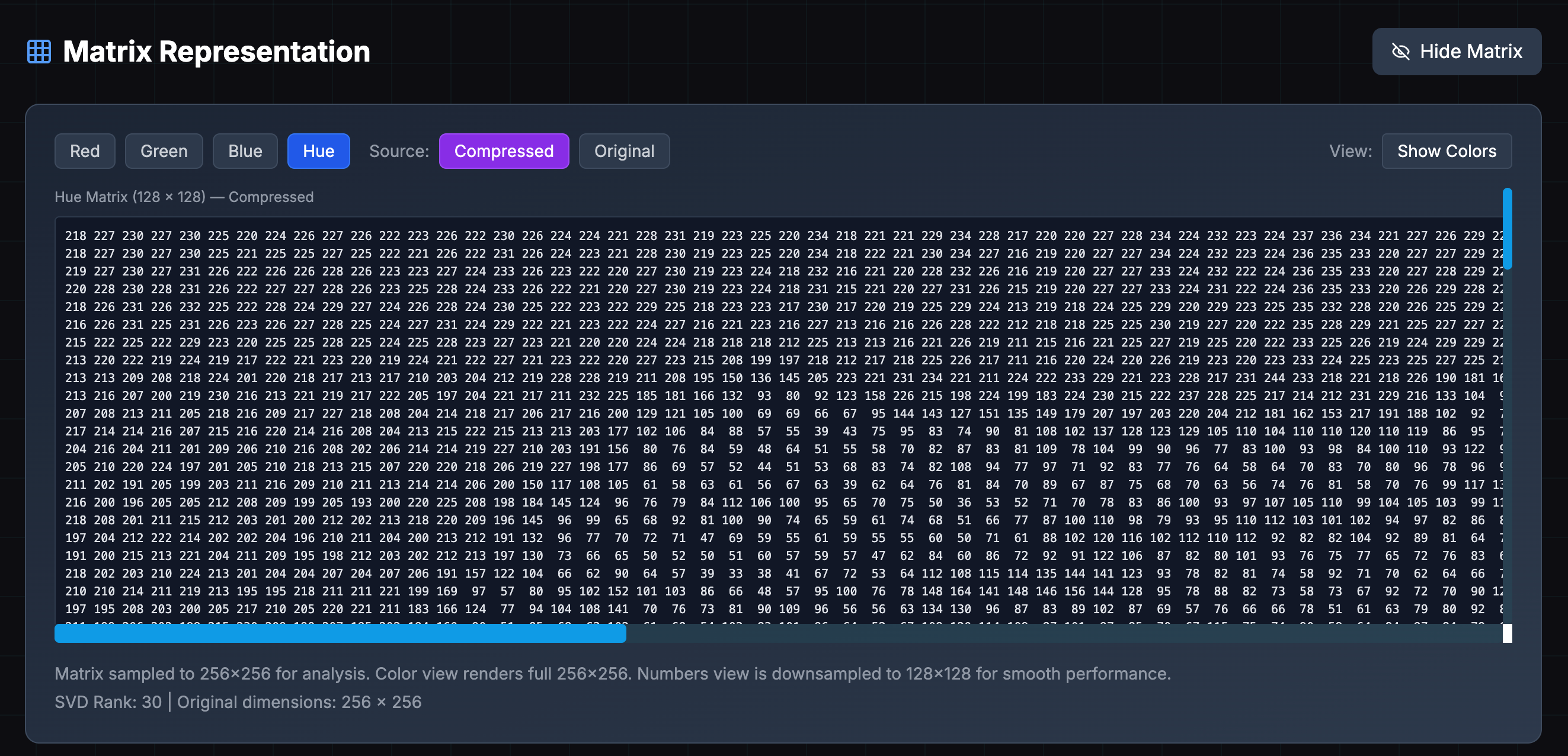
Matrix Visualization
Interactive matrix representation showing how images are converted to numerical matrices for SVD processing. This educational visualization helps MATH 3120 students understand the fundamental concept of representing visual data as mathematical matrices, demonstrating the bridge between linear algebra theory and practical image processing.
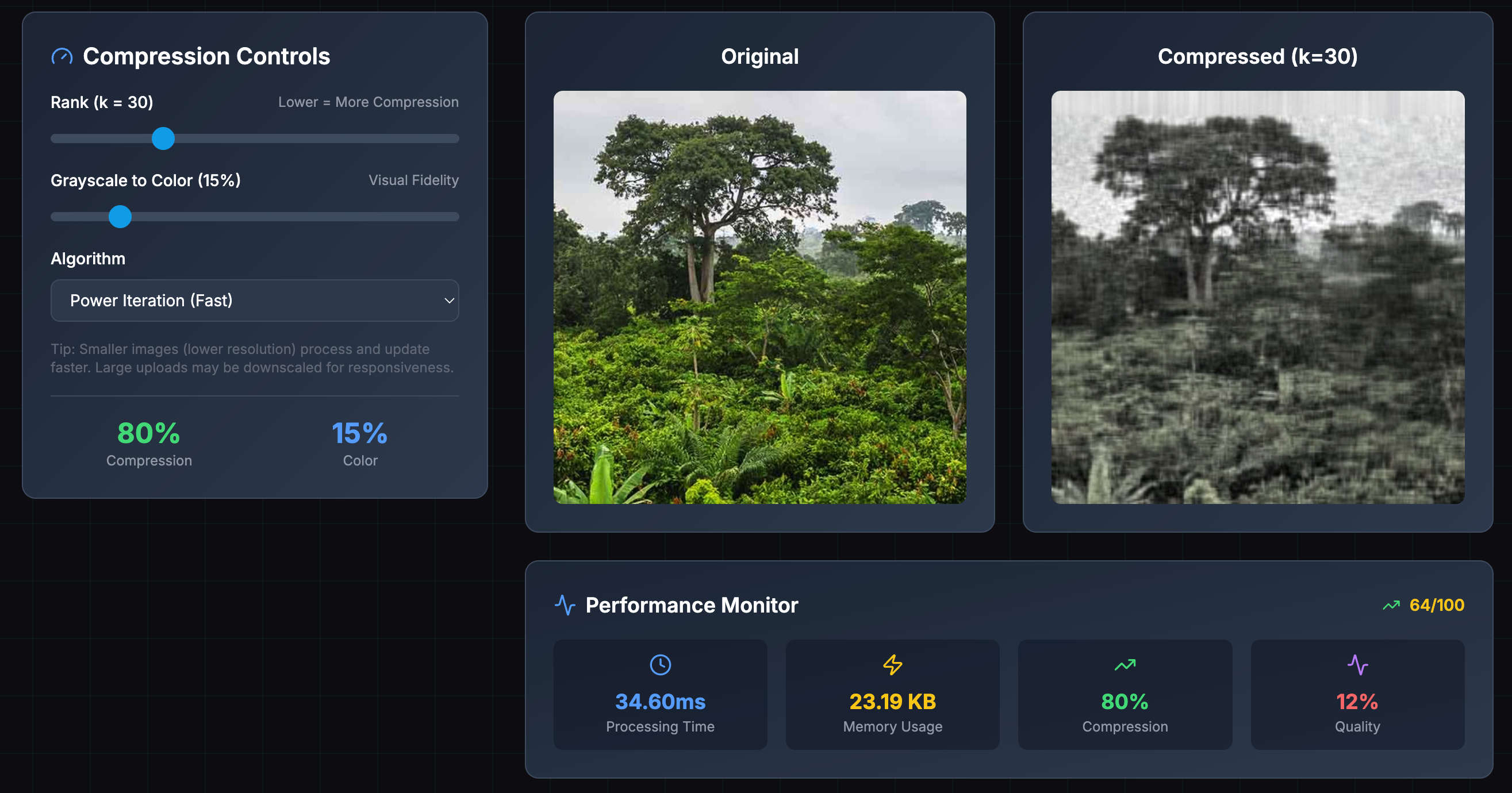
Performance Analytics
Real-time performance monitoring dashboard displaying compression metrics, processing time, memory usage, and quality assessments. This interface provides students with insights into the computational complexity and efficiency of SVD algorithms, directly connecting to the numerical analysis concepts covered in MATH 3120.
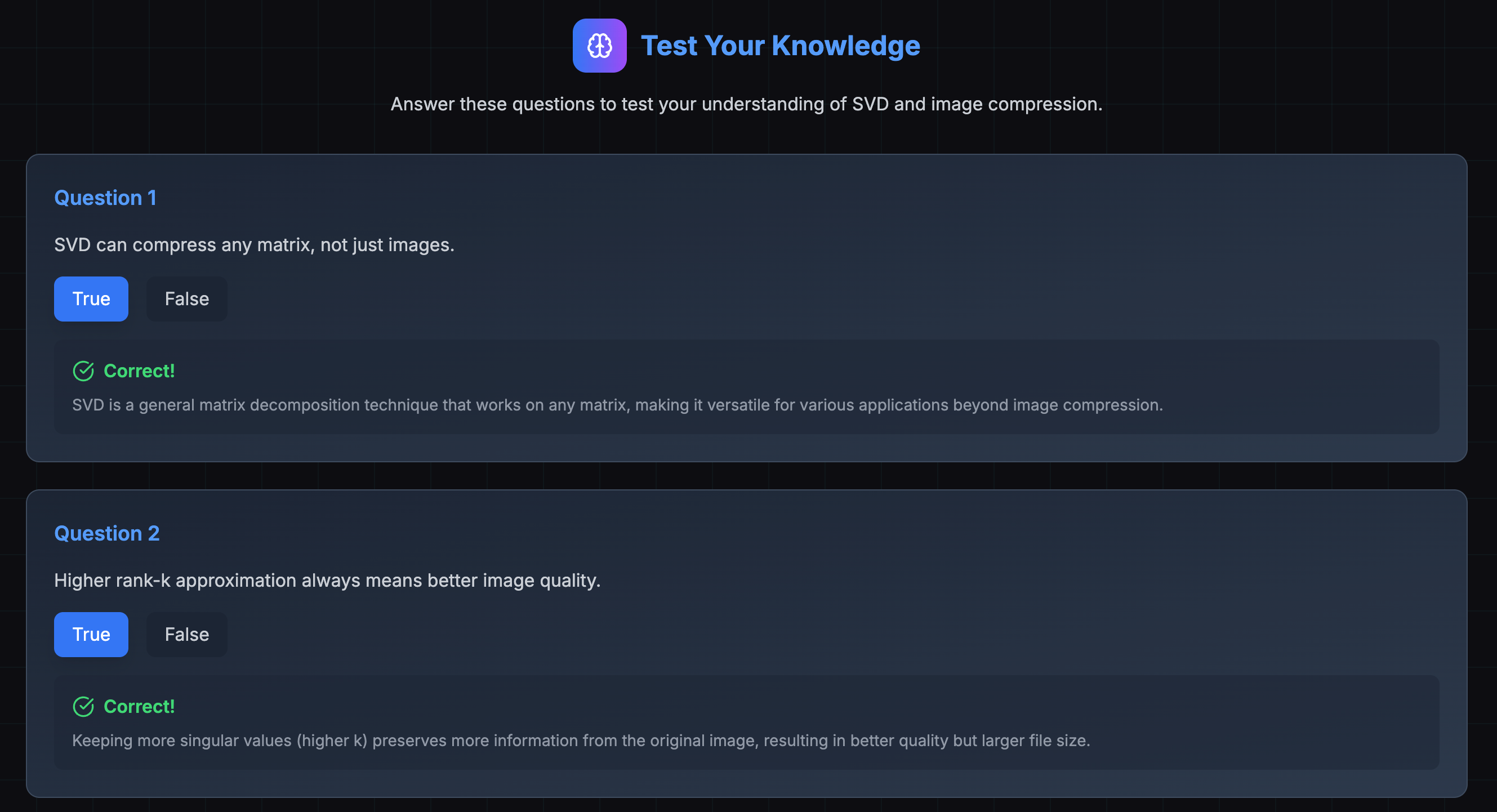
Interactive Quiz
Educational quiz interface designed to test student understanding of SVD concepts and image compression principles. This interactive learning tool reinforces the mathematical concepts taught in MATH 3120 through engaging questions about singular value decomposition, matrix decomposition, and compression theory.
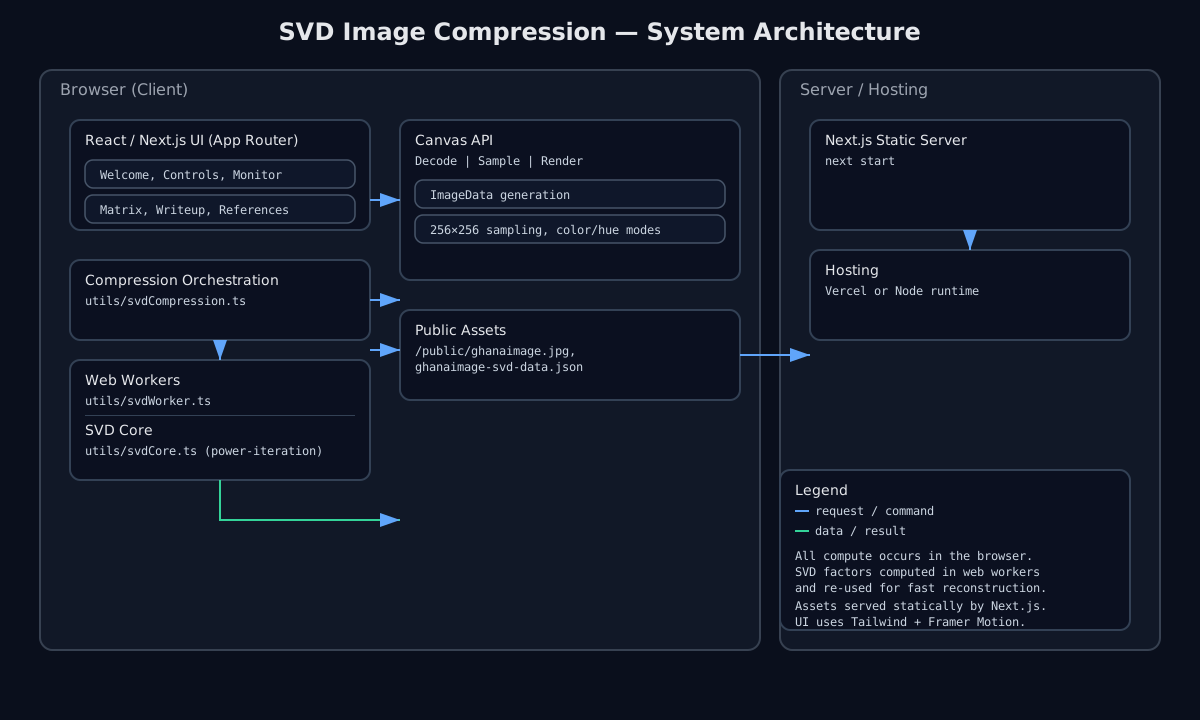
System Architecture
Comprehensive system architecture showing client-side structure, data flow, and component relationships.
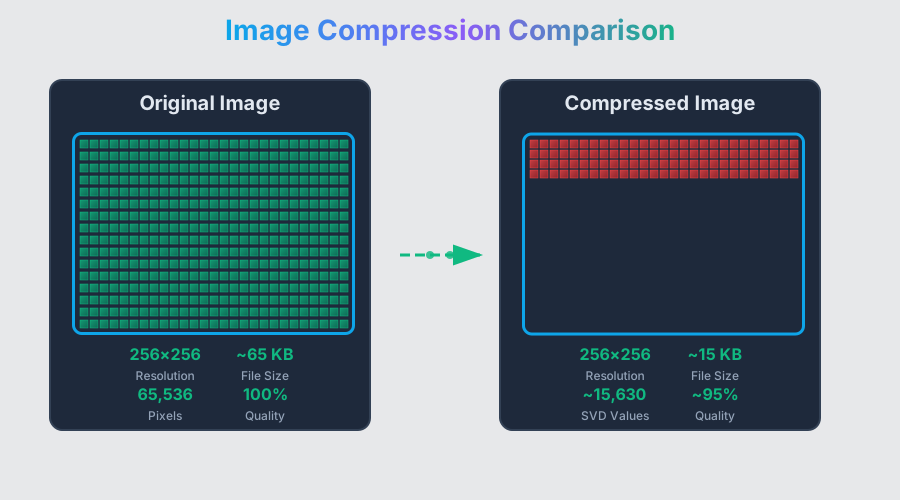
Compression Comparison Visualization
Interactive SVG visualization comparing original and compressed images with detailed metrics and mathematical analysis. This dynamic diagram illustrates the effectiveness of different SVD rank approximations and provides visual feedback on compression quality, perfect for understanding the trade-offs in numerical linear algebra applications.
Quick Start
Get up and running in under 2 minutes:
# Clone the repository
git clone https://github.com/tmarhguy/svd.git
cd compression-svd

# Install dependencies and start
npm install
npm run dev

# Open your browser to http://localhost:3000
Installation
Prerequisites
- Node.js 20.x - Download
- Modern Web Browser - Chrome, Firefox, Safari, or Edge
Setup
Click to expand detailed setup instructions
1. **Clone and navigate to the project:** ```bash git clone https://github.com/tmarhguy/svd.git cd compression-svd ``` 2. **Install dependencies:** ```bash npm install ``` 3. **Start development server:** ```bash npm run dev ``` 4. **Verify installation:** Navigate to `http://localhost:3000`Configuration
The application uses default configurations optimized for most use cases. For advanced users:
-
Environment variables (optional):
# Frontend (.env.local) # File handling and compute budgets NEXT_PUBLIC_FILE_SIZE_LIMIT=20971520 # 20MB default NEXT_PUBLIC_MAX_LOAD_DIM=1024 # max dimension on load NEXT_PUBLIC_LARGE_CROP_SIDE=1024 # fallback square crop side # Compute pipeline NEXT_PUBLIC_COMPUTE_DIM=256 # working compute dimension NEXT_PUBLIC_PREVIEW_DIM=128 # instant preview dimension NEXT_PUBLIC_MAX_COMPUTE_PIXELS=2000000 # ~2MP compute budget NEXT_PUBLIC_ENABLE_WORKERS=1 # set 0 to disable web workers -
Performance tuning:
# Client-side processing settings
# Workers are enabled by default; set to 0 to force main-thread fallback
NEXT_PUBLIC_ENABLE_WORKERS=1

# Adjust compute budget for slower/faster devices
NEXT_PUBLIC_COMPUTE_DIM=256
NEXT_PUBLIC_PREVIEW_DIM=128
NEXT_PUBLIC_MAX_COMPUTE_PIXELS=2000000
Deployment
Deploy to Vercel (Recommended)
This project is optimized for Vercel deployment with zero configuration:
One-Click Deploy
Manual Deployment
-
Install Vercel CLI:
npm i -g vercel -
Deploy to production:
npm run deploy -
Deploy preview:
npm run deploy:preview
GitHub Integration
- Push your code to GitHub
- Connect your repository to Vercel
- Automatic deployments on every push to main branch
- Preview deployments for pull requests
Environment Variables (Optional)
For production customization, set these in your Vercel dashboard:
# File handling and compute budgets
NEXT_PUBLIC_FILE_SIZE_LIMIT=20971520
NEXT_PUBLIC_MAX_LOAD_DIM=1024
NEXT_PUBLIC_LARGE_CROP_SIDE=1024

# Compute pipeline
NEXT_PUBLIC_COMPUTE_DIM=256
NEXT_PUBLIC_PREVIEW_DIM=128
NEXT_PUBLIC_MAX_COMPUTE_PIXELS=2000000
NEXT_PUBLIC_ENABLE_WORKERS=1
Custom Domain
After deployment, you can add a custom domain in your Vercel dashboard for a professional academic presentation.
Other Deployment Options
Alternative deployment platforms
#### **Netlify** ```bash npm run build # Deploy as a Next.js app with SSR (functions/edge). Static export is not supported. ``` #### **GitHub Pages** Static export is not supported due to client-only features and dynamic imports. #### **Self-Hosted** ```bash npm run build npm run start # Runs on http://localhost:3000 ```Usage
Web Interface
- Upload Image:
- Drag and drop an image file or click to browse
- Supported formats: JPG, PNG, BMP, GIF (first frame only)
- Maximum file size: configurable (default 20MB)
- Adjust Compression Settings:
- Rank Slider: Control the number of singular values (1…maxRank, where maxRank ≈ min(image width, image height))
- Color Mix: Adjust color-vs-grayscale blending of RGB channels
- Algorithm: Choose between power iteration, Jacobi, and QR variants (power iteration is the default)
- Monitor Processing:
- Real-time progress indicators
- Performance metrics display
- Processing time tracking
- Review Results:
- Side-by-side comparison
- Quality metrics
Compression Settings
Click to expand compression parameter details
**Rank Parameter:** - Controls the number of singular values used in reconstruction - Lower values = higher compression, lower quality - Higher values = lower compression, higher quality - Recommended range: 10-50 for most images **Quality Parameter (internal):** - Not exposed in the default UI. The pipeline supports an internal quality weighting under an alternative reconstruction engine; by default the app uses classic truncated SVD controlled by rank. **Color Mix:** - Adjusts processing of RGB channels - Can optimize for specific color characteristics - Useful for images with dominant color themesPerformance Monitoring
Click to expand performance monitoring details
**Real-time Metrics:** - Processing time (milliseconds) - Memory usage - Compression ratio - Quality score **Performance Indicators:** - Color-coded metrics (green/yellow/red) - Performance score (0-100) - Progress bar - Processing status updatesPerformance Evolution (Lighthouse)
This section tracks Lighthouse performance over time and highlights optimizations made to the app.
Previous Production (svd-wheat.vercel.app)
- Global mobile performance (v12.6.0): 43–57 / 100 across regions
- Typical metrics (mobile):
- FCP: ~1.1–1.4s
- LCP: ~3.3–5.0s
- TBT: ~11.7–18.3s
- CLS: 0
Current Local Production Build (this repo)
Desktop (prod, Lighthouse categories):
- Performance: 90
- Accessibility: 84
- Best Practices: 100
- SEO: 100
Mobile (prod, Lighthouse categories):
- Performance: 73
- Accessibility: 84
- Best Practices: 100
- SEO: 100
Reports saved locally as lighthouse-prod-desktop.json and lighthouse-prod-mobile.json.
What changed (high impact optimizations)
- Removed duplicate work on initial upload: single SVD precompute + fast reconstruction
- Parallelized per-channel reconstruction with web workers
- Capped compute size to a predictable budget (computeDim <= 256)
- Reduced SVD effort for startup (rank cap 24, iterations <= 20, power-iteration)
- Debounced slider recompute; reconstruction uses precomputed factors
- Approximate-first SVD, then exact SVD with incremental low-rank updates
- Preserved original aspect ratio and prevented layout shifts (CLS = 0)
Planned/Recommended for better LCP (< 4s)
- Defer default sample processing until first interaction or idle time
- Ensure a light, static hero is the LCP candidate; move heavy comparison below the fold
- Show instant low-res preview (e.g., 128×128, rank ~12) and refine in background
- content-visibility: auto on heavy sections; lazy-load non-critical assets
Reproducing Lighthouse locally
# Build and start production server
npm run build
npm run start &

# Run Lighthouse (performance only) and save reports
npx lighthouse http://localhost:3000 \
  --only-categories=performance \
  --output=json --output=html \
  --output-path=./lighthouse/report-prod \
  --chrome-flags="--headless=new --no-sandbox"
Reports are written to compression-svd/lighthouse/report-prod.report.html and .json.
Performance Optimizations
Summary of applied optimizations that improved responsiveness and startup time:
- React component optimizations:
- Memoization with
useMemo,useCallback, andmemoto reduce re-renders - Code splitting via dynamic imports for heavy sections
- Lazy loading for below-the-fold content
- Memoization with
- SVD computation optimizations:
- Compute dimension capped to 256 with device-aware scaling
- Single SVD precompute then fast reconstructions on slider changes
- Parallel channel work with Web Workers; better error handling
- State and UI performance:
- Debounced slider updates
- Preserved aspect ratios; no layout shifts (stable CLS)
- Matrix visualization uses Canvas for color and a single
<pre>text block for numbers
- Bundle/runtime and config tweaks:
- Removed deprecated/minify flags causing build issues
- Split chunks tuning and removal of problematic
require('crypto')cases - Pruned unused files/assets and slide tooling
Environment defaults (can be adjusted via .env.local):
NEXT_PUBLIC_FILE_SIZE_LIMIT=20971520
NEXT_PUBLIC_MAX_LOAD_DIM=1024
NEXT_PUBLIC_LARGE_CROP_SIDE=1024
NEXT_PUBLIC_COMPUTE_DIM=256
NEXT_PUBLIC_PREVIEW_DIM=128
NEXT_PUBLIC_MAX_COMPUTE_PIXELS=2000000
NEXT_PUBLIC_ENABLE_WORKERS=1
Architecture
The application follows a modern client-side architecture with comprehensive browser-based processing:
Core Components
- Frontend: React-based SPA with TypeScript and Tailwind CSS
- SVD Engine: Custom JavaScript implementation of matrix decomposition
- Web Workers: Multi-threaded processing for performance
- Canvas API: Image manipulation and pixel-level processing
- Performance Monitor: Real-time metrics and analytics
- Error Handling: Comprehensive error boundaries and recovery
Data Flow
- Image Upload: Client-side file validation and preview
- Browser Processing: Local SVD decomposition using Web Workers
- Real-time Updates: Progress tracking and live preview
- Result Display: Compressed image and quality metrics
- Performance Analytics: Metrics collection and visualization
Mathematical Foundation
Singular Value Decomposition (SVD)
SVD decomposes a matrix A into three components:
A = UΣV^T
Where:
- U: Left singular vectors (orthogonal matrix)
- Σ: Singular values (diagonal matrix)
- V^T: Right singular vectors (orthogonal matrix)
Image Compression Process
- Matrix Representation: Convert image to numerical matrix
- SVD Decomposition: Factorize matrix using SVD
- Rank Reduction: Keep only k largest singular values
- Reconstruction: Rebuild image from reduced components
- Quality Assessment: Compare original vs compressed
Compression Ratio
Compression Ratio = (Original Size - Compressed Size) / Original Size × 100%
Notes on metrics used in the app:
- Size saved (%) = (Original − Compressed) / Original × 100% (what the UI labels as “Compression” percent reduction)
- Compression ratio (×) = Original / Compressed (e.g., 6.4×). Both can be reported; labels clarify the difference.
Quality Metrics
- The app computes a PSNR-derived normalized score for display.
- SSIM and MSE are standard metrics discussed in the documentation but are not computed by the current UI.
Educational Content
Interactive Learning Modules
- What is an Image?: Digital pixel theory and color channels
- How Computers See Images: Matrix representation and processing
- SVD Mathematics: Step-by-step decomposition process
- Compression Comparison: Visual analysis tools
- Real-world Applications: Industry use cases and examples
Mathematical Concepts Covered
- Linear Algebra: Matrix operations and transformations
- Eigenvalues/Eigenvectors: Fundamental concepts
- Orthogonal Matrices: Properties and applications
- Numerical Methods: Efficient computation techniques
- Error Analysis: Quality assessment methods
Interactive Features
- Step-by-step Guides: Detailed SVD computation process
- Visual Demonstrations: Animated matrix transformations
- Parameter Exploration: Real-time parameter adjustment
- Quality Assessment: Built-in comparison tools
- Performance Analytics: Detailed metrics and insights
Limitations
Current Constraints
- File Size: Maximum 20MB per image (configurable via
NEXT_PUBLIC_FILE_SIZE_LIMIT) - Format Support: JPG, PNG, BMP, and GIF (first frame only)
- Processing Time: Large images may take several seconds
- Browser Compatibility: Modern browsers required
- Memory Usage: Large images require significant memory
Known Issues
- Very Large Images: May cause browser memory issues
- Complex Textures: Some textures may not compress well
- Color Accuracy: Slight color shifts possible with high compression
- Processing Limits: Client-side processing limitations
Contributing
We welcome contributions! Here’s how to get started:
Click to expand contribution guidelines
### Quick Contribution Guide 1. **Fork the repository** 2. **Create a feature branch:** ```bash git checkout -b feature/amazing-feature ``` 3. **Make your changes and test thoroughly** 4. **Commit with conventional commits:** ```bash git commit -m "feat: add amazing new feature" ``` 5. **Push to your fork and create a Pull Request** ### Development Setup ```bash # Clone your fork git clone https://github.com/yourusername/svd.git # Install dependencies and start cd compression-svd && npm install # Run development server npm run dev ``` ### Code Standards - **TypeScript**: Strict mode, comprehensive typing - **JavaScript**: ES6+, modern syntax, proper error handling - **Testing**: Maintain >80% code coverage - **Documentation**: Update README for new features - **Performance**: Optimize for large image processing in browser ### Areas for Contribution - **Frontend**: React components, UI/UX improvements - **Algorithms**: SVD optimization, mathematical accuracy - **Documentation**: Tutorials, mathematical explanations - **Testing**: Unit tests, integration tests - **Performance**: Web Workers, memory optimizationAcademic License and Usage
This project is licensed under the MIT License.
Academic Context
Important Note: This is an academic final project for MATH 3120: Numerical Linear Algebra at the University of Pennsylvania. While the code is open source under MIT License, this work represents original academic effort for course requirements.
Academic Integrity
- This project represents original work completed for MATH 3120 final project requirements
- All mathematical concepts are based on course materials and standard numerical linear algebra texts
- Implementation follows academic best practices for educational software development
- Code is shared for educational purposes and portfolio demonstration
License Terms
- ✅ Commercial use allowed (post-graduation)
- ✅ Modification allowed for learning purposes
- ✅ Distribution allowed with attribution
- ✅ Private use allowed
Citation
If you use this project for academic purposes, please cite as:
Marhguy, T. (2024). SVD Image Compression: A Numerical Linear Algebra Approach.
Final Project for MATH 3120: Numerical Linear Algebra.
University of Pennsylvania, School of Engineering and Applied Science.
https://github.com/tmarhguy/svd
Academic Acknowledgments
This is a final project for MATH 3120: Numerical Linear Algebra at the University of Pennsylvania.
- Course instructor: Maxine Elena Calle — Mathematics Ph.D. student and NSF Graduate Research Fellow at the University of Pennsylvania. Research interests include algebraic topology, homotopy theory, and category theory, with an interest in mathematical visualization and communication. See profile: web.sas.upenn.edu/callem
- Gratitude to teaching staff and classmates for a supportive learning environment
Course and Institution
- MATH 3120: Numerical Linear Algebra — Course framework and mathematical foundation
- University of Pennsylvania, School of Engineering and Applied Science — Academic context
Technical Acknowledgments
- Next.js/React — Web UI and interactivity
- TypeScript — Type-safe development
- Tailwind CSS — Styling
- Web Workers & Canvas API — In-browser computation and rendering
Educational Resources
- Course materials and standard numerical linear algebra references
- Academic papers on SVD and image compression
- Open-source community resources used for learning